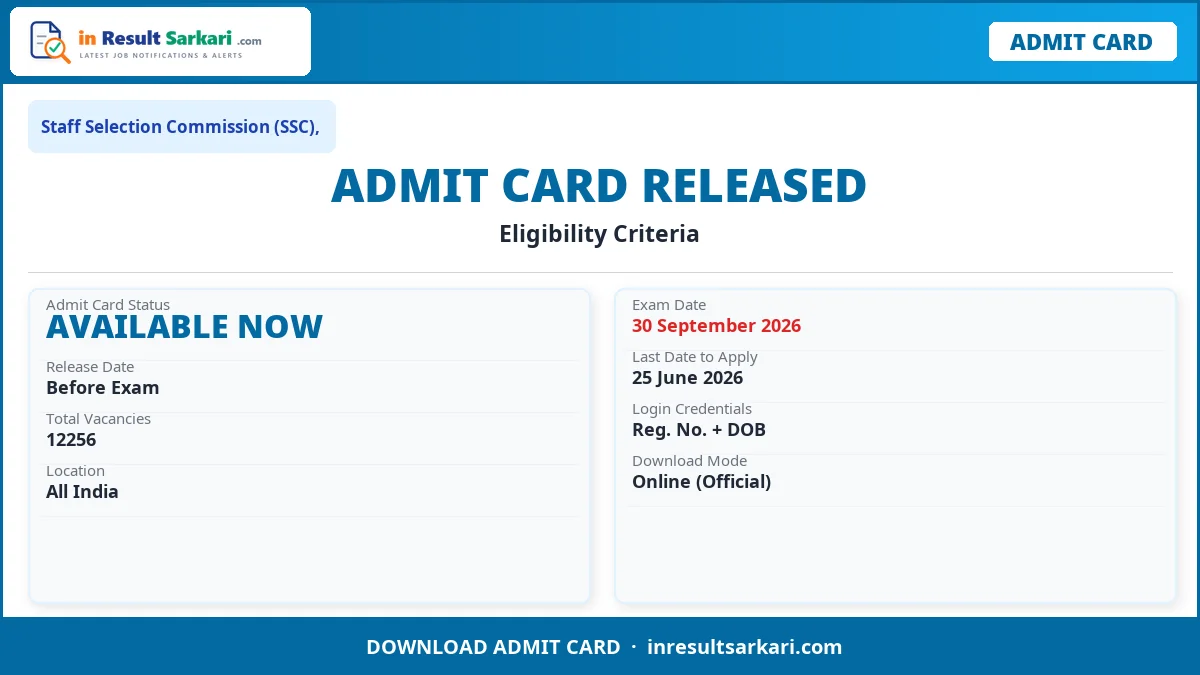
SSC CGL Tier-I Admit Card 2026: Staff Selection Commission (SSC), has released the admit card and examination city details for the upcoming test. Registered candidates can download their hall tickets from the official portal starting 27 September 2026. Please keep your application number and date of birth ready to access the download link.
Short Information
| Field | Details |
|---|---|
| Organization | Staff Selection Commission (SSC), |
| Post Name | Eligibility Criteria |
| Total Posts | 12256 |
| Apply Mode | Online |
| Job Location | All India |
Important Dates
| Event | Date |
|---|---|
| Application Start Date | 21 May 2026 |
| Last Date to Apply | 25 June 2026 |
| Fee Payment Last Date | 26 June 2026 |
| Correction Window | 01 – 03 July 2026 |
| Exam Date | 30 September 2026 |
| Admit Card Available | 27 September 2026 |
| Result Date | Will Be Update Here Soon |
Application Fee
| Category | Fee Amount |
|---|---|
| General / OBC / EWS | ₹ 100/- |
| Payment Mode | Online (Net Banking / UPI / Card) |
Age Limit
| Criteria | Age |
|---|---|
| Minimum Age | 18 Years |
| Maximum Age | 32 Years |
| Age Relaxation | As per government rules for reserved categories |
Eligibility Criteria
- All other Posts:
- Candidates must have completed their Graduation in any stream from a recognized university will be eligible for the CGL Examination, 2026.
- Junior Statistical Officer:
- Candidates must have a Bachelor’s degree in any stream with at least 60% marks in Mathematics at the 12th standard level, or they should have a Bachelor’s degree with Statistics as one of the subjects.
- Read Official Notification Before Applying.
Vacancy Details
| SSC CGL Group Wise Post Details | |
|---|---|
| Group | Post Name |
| Group-B | Assistant Audit Officer (Central Cadre) |
| Group-B | Assistant Audit Officer (State Cadre) |
| Group-B | Assistant Accounts Officer (State Cadre) |
| Group-B | Assistant Section Officer |
| Group-B | Assistant Section Officer |
| Group-B | Assistant Section Officer |
| Group-B | Assistant Section Officer |
| Group-B | Assistant Section Officer |
| Group-B | Assistant Section Officer |
| Group-B | Assistant / Assistant Section Officer |
| Group-B | Inspector of Income Tax |
| Group-B | Inspector, (Central Excise) |
| Group-B | Inspector (Preventive Officer) |
| Group-B | Inspector (Examiner) |
| Group-B | Assistant Enforcement Officer |
| Group-B | Sub Inspector |
| Group-B | Inspector Posts |
| Group-B | Inspector |
| Group-B | Assistant / Assistant Section Officer |
| Group-B | Executive Assistant |
| Group-B | Research Assistant |
| Group-B | Divisional Accountant |
| Group-B | Sub Inspector |
| Group-B | Sub-Inspector/ Junior Intelligence Officer |
| Group-B | Junior Statistical Officer |
| Group-B | Statistical Investigator Grade-II |
| Group-B | Office Superintendent |
| Group-B | Section Head |
| Group-C | Auditor |
| Group-C | Auditor |
| Group-C | Auditor |
| Group-C | Accountant |
| Group-C | Accountant |
| Group-C | Accountant/ Junior Accountant |
| Group-C | Postal Assistant/ Sorting Assistant |
| Group-C | Senior Secretariat Assistant/ Upper Division Clerks |
| Group-C | Senior Administrative Assistant |
| Group-C | Tax Assistant |
| Group-C | Tax Assistant |
| Group-C | Sub-Inspector |
After downloading your hall ticket, carefully check all printed details, including your name, photograph, signature, date of birth, exam date, reporting time, and test center location. In case of any discrepancies or spelling errors, contact the exam cell helpdesk immediately to obtain a corrected copy.
On the exam day, candidates must bring a printed hard copy of the admit card along with a valid government-issued photo ID (such as Aadhaar Card, PAN Card, Voter ID, or Driving License) to the test center. Entry will not be permitted without these mandatory documents. Candidates should reach the venue at least 30 minutes before the reporting time.
How to Download SSC Admit Card 2026
- Visit the Official Website: Open your browser and navigate to the official portal of Staff Selection Commission (SSC),.
- Click on Admit Card Link: Find and click the Admit Card or Hall Ticket download link on the homepage.
- Enter Your Login Credentials: Enter your Application Number/Registration Number and Date of Birth.
- Submit and View Admit Card: Click Submit to view your admit card with exam center details.
- Download the PDF: Download the admit card PDF to your device.
- Print 2-3 Copies: Take 2-3 printed copies and verify all details including name, photo, exam date, and center address.
Frequently Asked Questions (FAQ)
Question: How to download SSC admit card?
Answer: Visit the official website of Staff Selection Commission (SSC),. Click on the Admit Card download link, enter your Registration Number and Date of Birth, and download the PDF.
Question: When is the SSC exam date?
Answer: The examination is scheduled for 30 September 2026.
Question: What documents should I carry to the exam?
Answer: Carry a printed copy of the admit card along with a valid government-issued photo ID such as Aadhaar Card, PAN Card, Voter ID, Driving License, or Passport.
Question: What if there is an error on the admit card?
Answer: Contact the helpdesk of Staff Selection Commission (SSC), immediately through the official website to request correction before the exam date.